
Updated: October 27, 2026
Why cybersecurity and IT companies struggle with video
A managed IT provider in Doral, a security operations center in Brickell and a cloud consultancy in Coral Gables share one problem when they sit down to plan a video: the work they sell happens inside servers, logs and tickets. There is no product to hold up to the camera, no before and after photo, and the best day for their clients is the day nothing happens. Put a hooded figure in front of green code on screen and every buyer who works in security will stop watching. Leave the camera on a row of blinking racks and the video says nothing at all.
This guide covers how cybersecurity video production and IT services video work in Miami in practice: what to film when the service is invisible, how to shoot screens and dashboards without leaking anything, how to handle a live network operations center, and which formats actually help an MSP or security firm win business. It is written for marketing leads, founders and sales teams at IT companies who need a B2B video that a skeptical technical buyer will respect.
What to film when the service is invisible
The answer is almost always people and process. A good IT company video shows the humans who pick up the phone, the way a ticket moves from alert to fix, and the moment a client's office manager stops worrying about the network. Buyers of managed IT services in Miami are often owners of law firms, clinics, logistics companies and family businesses. They are hiring a relationship, and the video should let them meet it.
Subjects that work on camera
- The engineer on the help desk walking through how a request is triaged, in their own words.
- An onsite technician arriving at a client office, with the client's permission, to replace a switch or set up a new workstation.
- The security analyst explaining one real alert type (a suspicious login from abroad, a phishing report from a staff member) and what happens next, with every identifying detail removed.
- A client, filmed in their own workplace, describing the problem they had before and what changed.
- Leadership on why the company was founded and how it hires, which also feeds recruitment content.
What to avoid: stock hacker imagery, padlock animations over city skylines, and any claim you cannot back up. "We stop 100 percent of attacks" is the fastest way to lose a CISO in the first ten seconds.
Filming screens and dashboards safely
Screens are where the work lives, so they end up in almost every cybersecurity video. They are also the biggest risk on the shoot. A monitor in the background can show a client name, an internal IP range, a firewall rule set or an open ticket with a person's email address. Once that frame is published it cannot be pulled back from every place it has been shared.
A screen protocol we use on IT shoots
- Demo environments only. Ask the client's team to prepare a sandbox tenant, a demo SIEM instance or a staged dashboard populated with fictional data. Real consoles stay off or are physically turned away.
- A screen owner on set. One person from the client's security team approves every screen before the camera rolls and has the right to stop a take.
- Replace in post when needed. Where a real screen has to appear for authenticity, we shoot it clean and replace the content with an approved graphic during editing.
- Review by the security team. Every cut goes to the client's security lead for a frame by frame check before release. Budget a day for this in the schedule.
- Badges, whiteboards and sticky notes. Staff badges, network diagrams on whiteboards and password notes on monitors (it still happens) are checked on the walkthrough and cleared before the first shot.
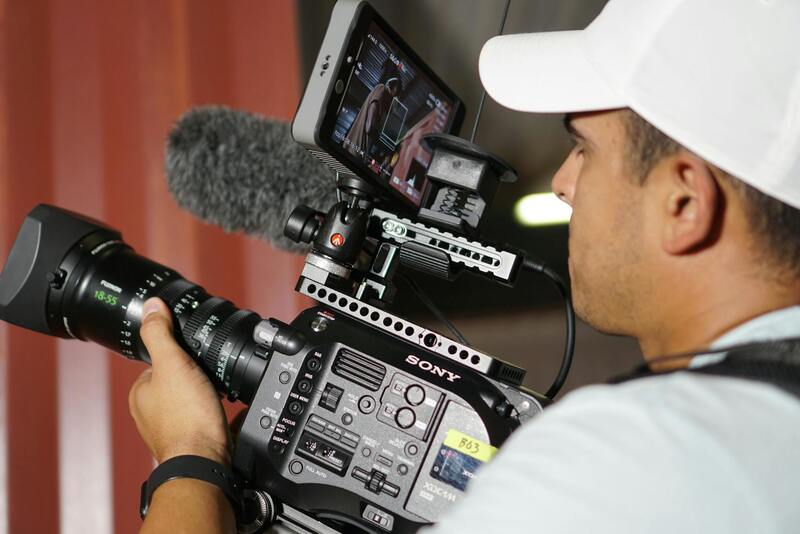
Monitors also create technical headaches. Refresh rates cause rolling bars on camera, bright white dashboards blow out next to a darker face, and glare from overhead light hides the content. We match shutter to the monitor where possible, turn screen brightness down to sit with the key light, and position the talent so the screen is readable without reflecting the room.
Shooting inside a live NOC or SOC
Network and security operations centers look good on camera: a wall of displays, low light, focused people. They are also working rooms where an incident can start at any minute. The shoot is a guest there, and the plan should say so.
Before the day, agree which seats and screens can appear, which shift is working, and what happens if a real incident starts (the crew stops, steps back and waits, or leaves the floor). Keep the crew small, usually a director, a camera operator and a sound recordist, and use quiet equipment. LED panels on battery avoid tripping circuit breakers in a room that is already running a lot of hardware. Filming staff who did not sign a release is a common mistake; collect talent releases in advance and seat anyone who declined out of frame.
Data centers in the Miami area add further rules: escorted access, background checks for the crew list, no drones and often no photography of certain equipment or signage. Allow a week or more for access approval and send the insurance certificate early.
Formats that help IT and security companies sell
| Format | Typical length | Where it is used |
|---|---|---|
| Company overview with the team | 90 seconds to 2 minutes | Homepage, proposals, LinkedIn company page |
| Client story (MSP or security case study) | 2 to 3 minutes | Sales follow up, industry pages, events |
| Service explainer (for example, what a managed SOC does) | 60 to 90 seconds | Service pages, email nurture |
| Security awareness training for staff | 3 to 6 minutes per module | Client onboarding, internal LMS |
| Short social clips from interviews | 15 to 45 seconds | LinkedIn, YouTube Shorts, trade show loops |
Security awareness training is an interesting case. Many Miami MSPs resell or deliver phishing and awareness programs to their clients, and branded, local training videos in English and Spanish can set them apart from generic libraries. These need a clear script reviewed by the security team, simple scenarios filmed with real staff or actors, and captions in both languages.
For product-led security companies, the demo and explainer approach in our article on SaaS demo and explainer video production applies directly. Early-stage firms raising money will find useful points in our guide to tech startup video production in Miami.
Client testimonials when clients cannot be named
Security buyers want proof, and the strongest proof is a client talking. The problem is that many clients do not want to say publicly who protects their network, because it tells attackers where to look. There are workable answers:
- Film the client and name the industry, not the company ("a Miami healthcare practice with 40 staff").
- Focus the story on the experience of working together, response times and communication, and leave out the tooling.
- Use a voice-only interview over footage of the MSP's own team if the client will not appear on camera.
- Keep a private version with full names for use in one to one sales conversations under NDA.
Get the client's legal and IT contacts to approve the final cut in writing. It takes longer, and it protects the relationship you are trying to promote.
Recruitment is half the value
Most IT companies in South Florida are hiring, and good engineers compare employers the way customers compare vendors. Footage from the same shoot can build a careers page video: what a first week looks like, how on-call works, what training and certifications the company pays for. Our piece on recruitment and employer brand video in Miami covers how to plan that second use from the start, so one production day serves sales and hiring.
Planning the shoot: a short checklist
- Define the one buyer the video is for (office manager, CFO, IT director or CISO) and write to that person.
- Pick two or three subjects who can explain their work clearly without jargon, and brief them on questions in advance.
- Book demo environments and a screen owner from the security team.
- Collect releases from every employee and client who may appear.
- Schedule around the working day: NOC floors are calmer mid-morning, client offices after hours.
- Build review time for security, legal and the client into the delivery date.
Cybersecurity and IT video production with our Miami team
We produce B2B video for technology and IT service companies across Miami-Dade and Broward, and we treat security as part of the production plan from the first call: sandbox screens, a named screen owner, small quiet crews in live operations rooms, releases before cameras roll and a review pass by your security lead before anything is published. The result is video that a technical buyer can watch without wincing and that a non-technical owner can understand in a couple of minutes.
If you run an MSP, a security firm or an IT consultancy and want to show the work your clients never see, tell us about the buyer you are trying to reach through the contact page. You can read about the industries we film and how we work on our about page, and the first conversation starts with a list of screens that must never appear on camera.